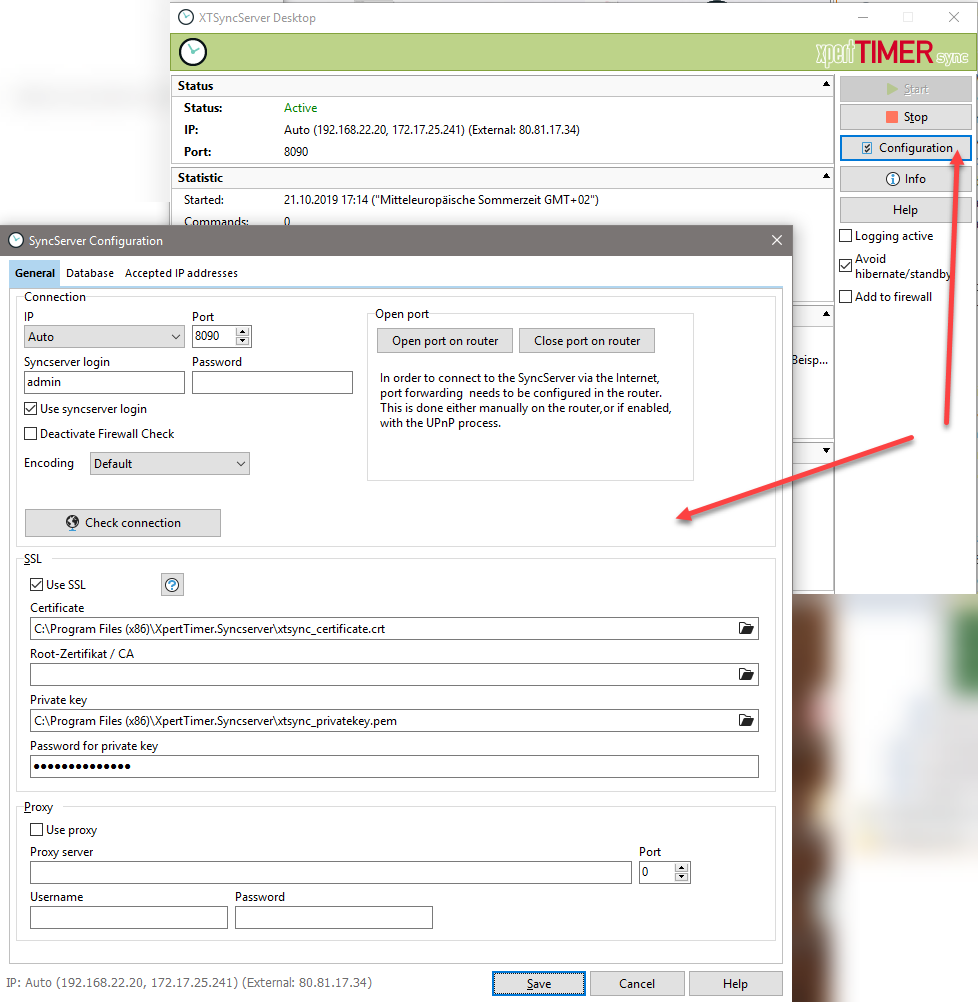
XTSyncServer was formerly called XTWebserver, which is why the files are still named XTWebserver. (For your information)
With the desktop version (XTWebserver.exe), or if you are not using a permanently running server, you can exchange your data via the Internet using the desktop version of XTSyncServer. In the SyncServer installation routine, you can choose whether you want to work with a service or with the desktop version (XTWebserver.exe).
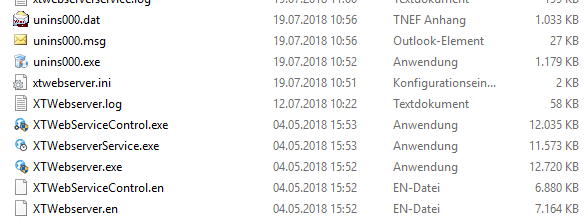
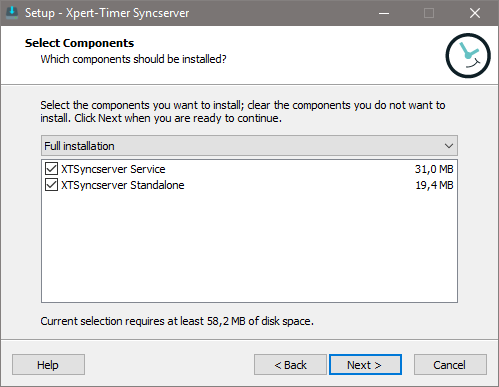
The desktop version of XTSyncServer is designed to provide quick access to synchronization. In companies with multiple employees and a server environment, we recommend using the XTSyncServer service (XTWebServiceContol.exe).
The desktop version of XTSyncServer is often used for single-user workstations or small companies where synchronization is scheduled. In this case, XTWebserver.exe must be started when synchronization is to take place. This method is most commonly used in peer-to-peer networks.
The next step is to start XTWebserver.exe.
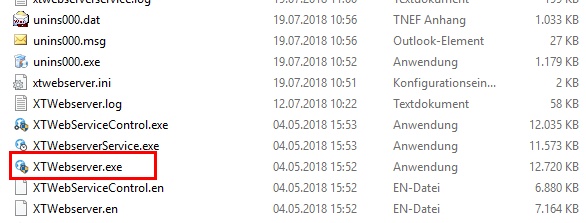
The configuration is the same as for XTSyncServer as a service. Only the interface for starting XTSyncServer is slightly different.
"Logging active" should only be set in exceptional cases. This allows you to analyze the source of the error if connection problems occur. This setting significantly slows down communication between the client and server and should therefore only be set in case of problems.