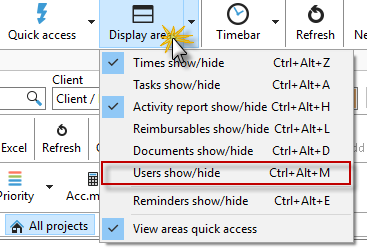
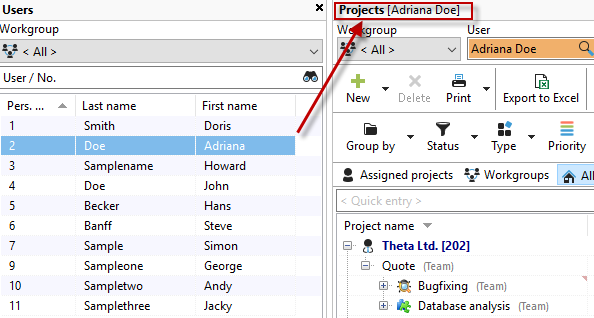
When you display the "Employees" area, you can view the project list for each employee. Click on an employee in the employee list to set the corresponding filter in the project list.
This allows you to easily switch between the different views of the employees.