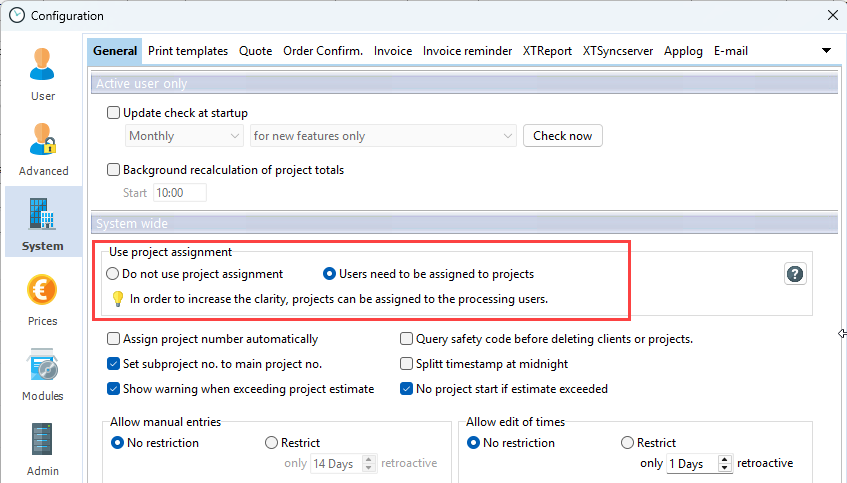
In Xpert-Timer, you can choose whether projects are either:
a) Are explicitly assigned to specific employees, or
b) All employees in the company can see all team projects.
The differences
Explicit assignment
With many employees in the company, the project list can become confusing if every employee can see all of the company's projects. By explicitly assigning projects that are relevant to individual employees, the Xpert-Timer interface remains streamlined.
Projects can be assigned to other employees via the "Edit" menu item. Employees can be selected multiple times with the mouse, so that specific projects can be assigned to several employees at once.
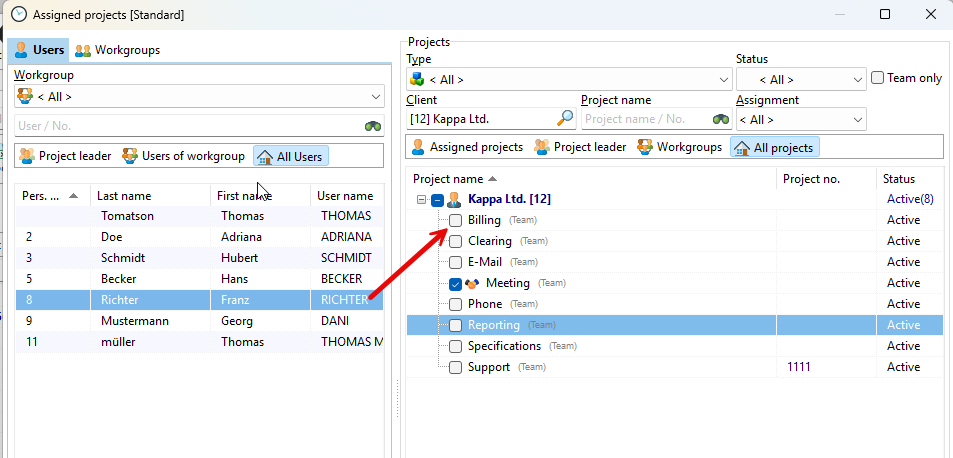
Advantages:
- Employees only see the projects they are actually working on
- Interface remains streamlined
Disadvantages:
- Each new project must be assigned separately.
All employees see all team projects
If you have a manageable team in your company and all employees work on virtually all projects, then the projects do not need to be explicitly assigned to employees. This allows everyone to see all team projects created in the system. If individual employee processing is selected, only that employee will see the created project in their list.
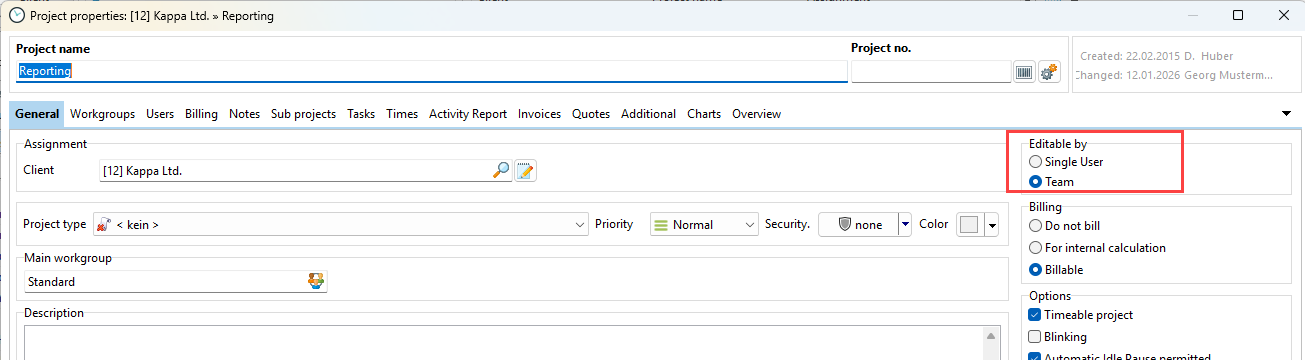
Advantages
- No explicit assignment. All employees can see all team projects
Disadvantages:
- Clarity suffers somewhat, especially when working with many projects.
Configuration
You can switch modes in the configuration. Keep in mind that when you switch to "Employees must be added to projects," you must assign employees to projects so that they can see the projects.