Does your company work with different billing rates per customer, project, or employee? You can meet this requirement using price lists.
The system
|
Price list functions |
|---|---|
•It has a validity period and a currency •It can use day/time-dependent rates •It is composed of different billing rates from the price groups •It can be versioned (expiration date, new prices) •Each price group can have its own billing rate in the price list •Each employee belongs to a price group •Each customer and their projects can have their own price list •Each project and its subprojects can have their own price list |
|

Which price list does Xpert-Timer use?
When you start a timestamp, Xpert-Timer first checks whether a specific price list has been stored in the corresponding project. If none has been selected there, Xpert-Timer checks whether a price list has been stored for the corresponding customer. If not, Xpert-Timer selects the default price list you have set as the basis for calculating prices.
Time stamps and their billing rates can be changed retrospectively. So if you are working on a different project with a different billing rate, simply change the billing rates in the time stamp list. You can select multiple time stamps with the mouse and then change the billing rate by right-clicking.
Please also read the chapter "Time stamps" -> Price lists and billing rates.
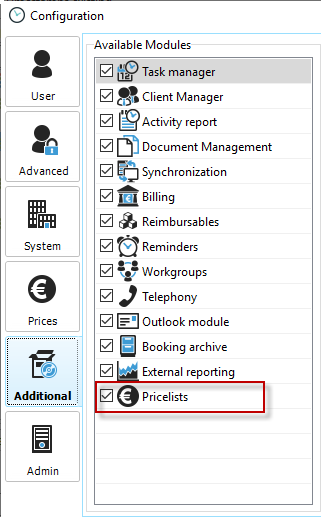
Activation
To use the price lists in your Xpert-Timer, you must activate the "Price lists" add-on module in the "Add-on modules" section of the configuration. Only then will all options for the price lists be visible in Xpert-Timer.