You can use the export or import function to further process data or import it into Xpert-Timer for the first time.
|
The easiest way to move from an old server to a new server is to create a database backup directly on the server, e.g., using Management Studio Express or a MySQL interface, and then import it into a manually created database on the new server. We do not recommend exporting and reimporting the data. |

When exporting, the data is saved in XML format. Please note that only the user XTADMIN can import or export data.
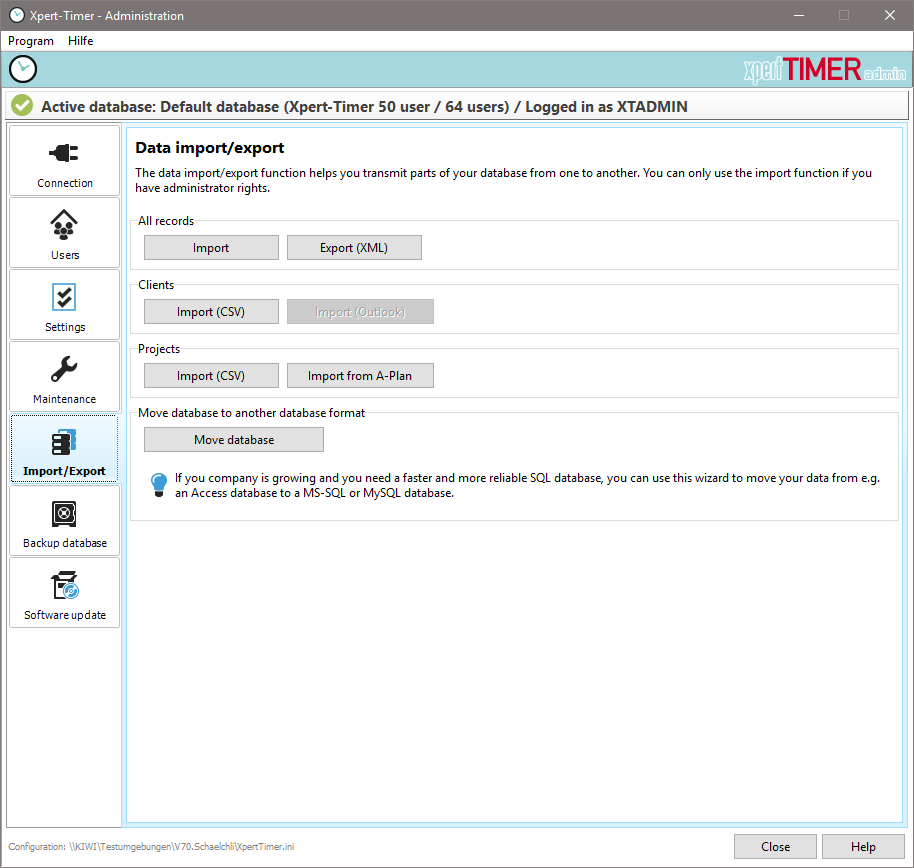
To export data, select the tables to be exported in the selection dialog and press the OK button.

The data is imported into another database by clicking the "Import" button and entering the export file name.
Details about .cvs can be found [here].
It is also possible to import customer data directly from Outlook. (Additional module: Outlook module)