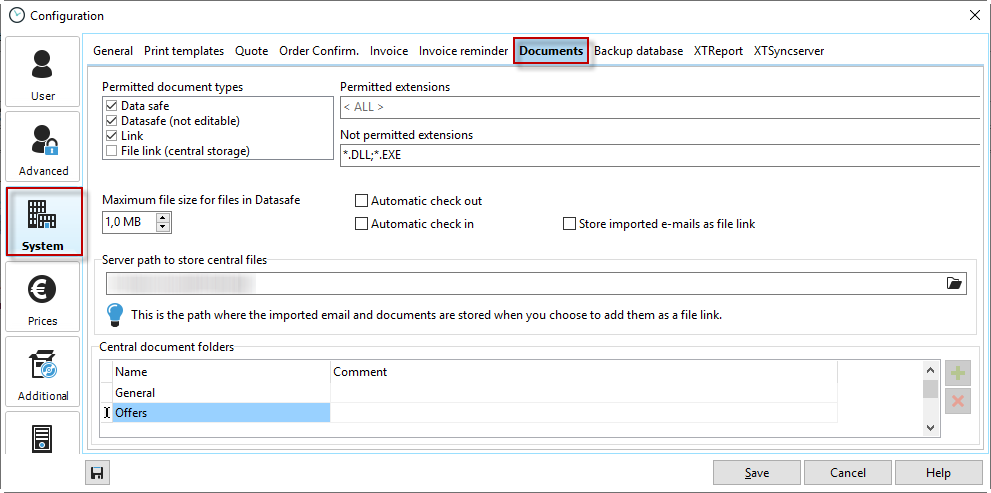
Permitted document types |
Select the document types that are generally permitted and that you want to create in document management. |
Permitted/prohibited file extensions |
Restrict file extensions to prevent misuse, or allow only certain extensions to keep the database volume small. |
Automatic check-in and check-out |
If a document is checked out by one person for editing, it cannot be edited by any other employee until it has been checked back in after editing. |
Maximum document size for data safe |
To prevent the database from becoming bloated, you should specify a maximum document size here. The smaller, the better. |
Save imported emails as file links |
To prevent large and numerous emails from unnecessarily burdening the database, they can be stored as file links on the server. |
Server path for central file storage |
Documents (e.g., imported emails) are stored under this path if they are created as file links. |
Central storage folders |
These folders are available to you for managing documents. |